Who Says?
Who Says You Don’t Make Friends with Salad?
Role
UX/UI Designer & Visual Identity Designer 100%
Time Frame
4 Weeks
Mar 2024
Tools
Figma, Illustrator, Procreate & Chat GPT
Client
Social Entrepreneur Camila G
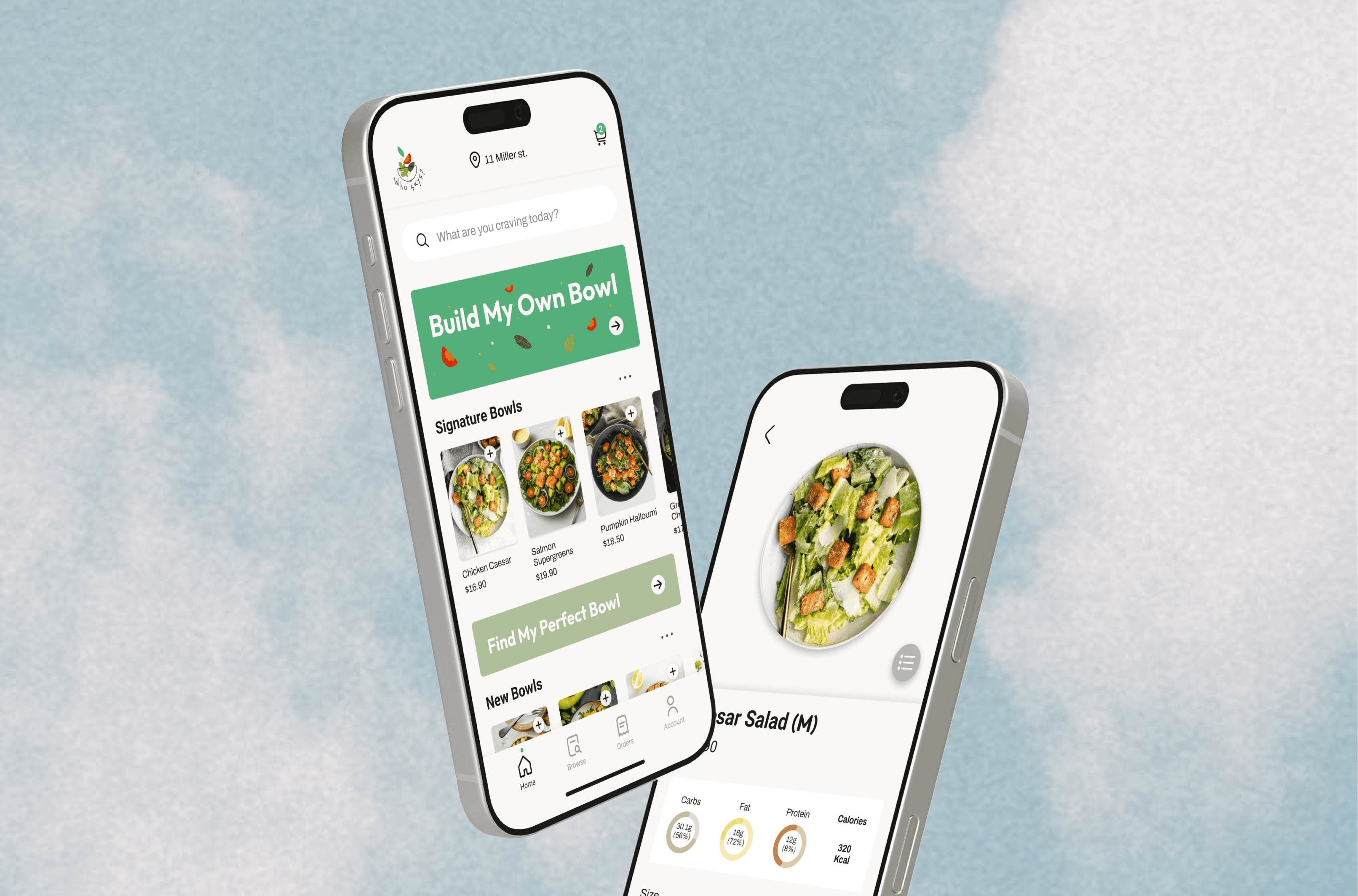
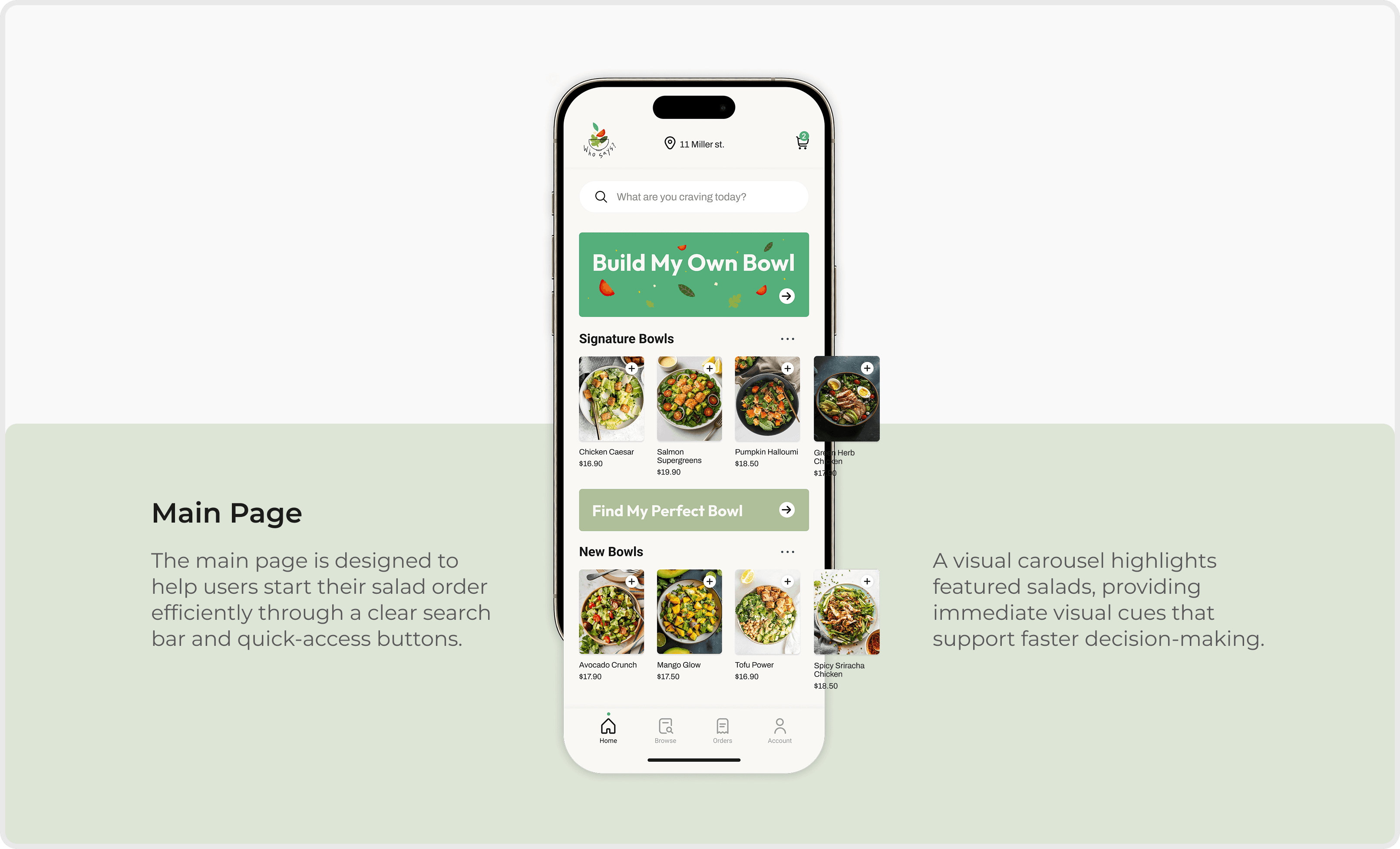
Who Says? is a custom salad ordering app designed to help users build personalised salads based on their taste and dietary needs.
Initiated by social entrepreneur Camila G., the concept reimagines healthy fast food as a simple and easy experience, supporting mindful eating through clear, intuitive customisation without unnecessary complexity.
Discover
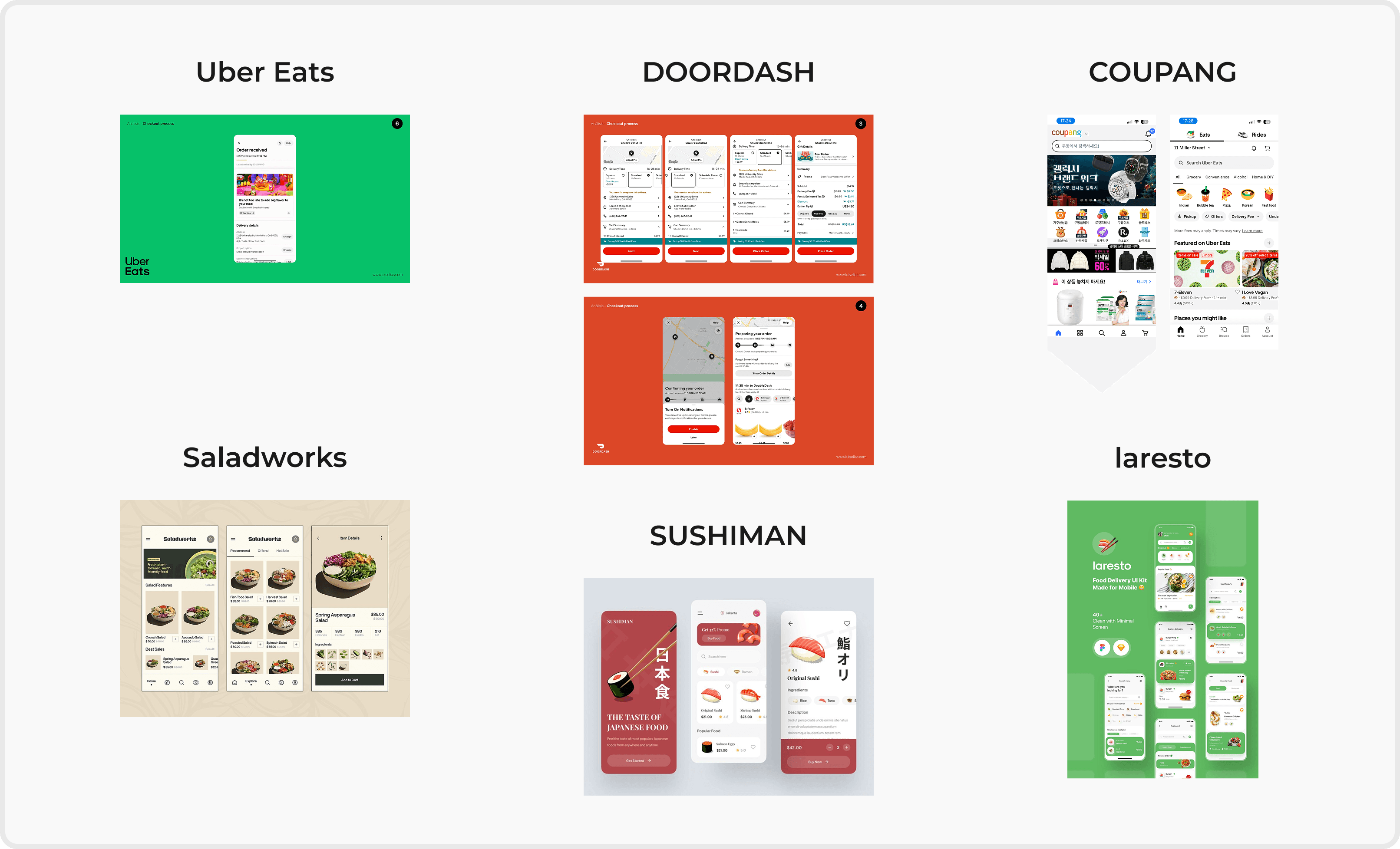
As dietary needs become more diverse, food-ordering experiences are expected to handle increasing complexity.
However, many healthy food apps still introduce friction by failing to clearly communicate options and ingredient information.
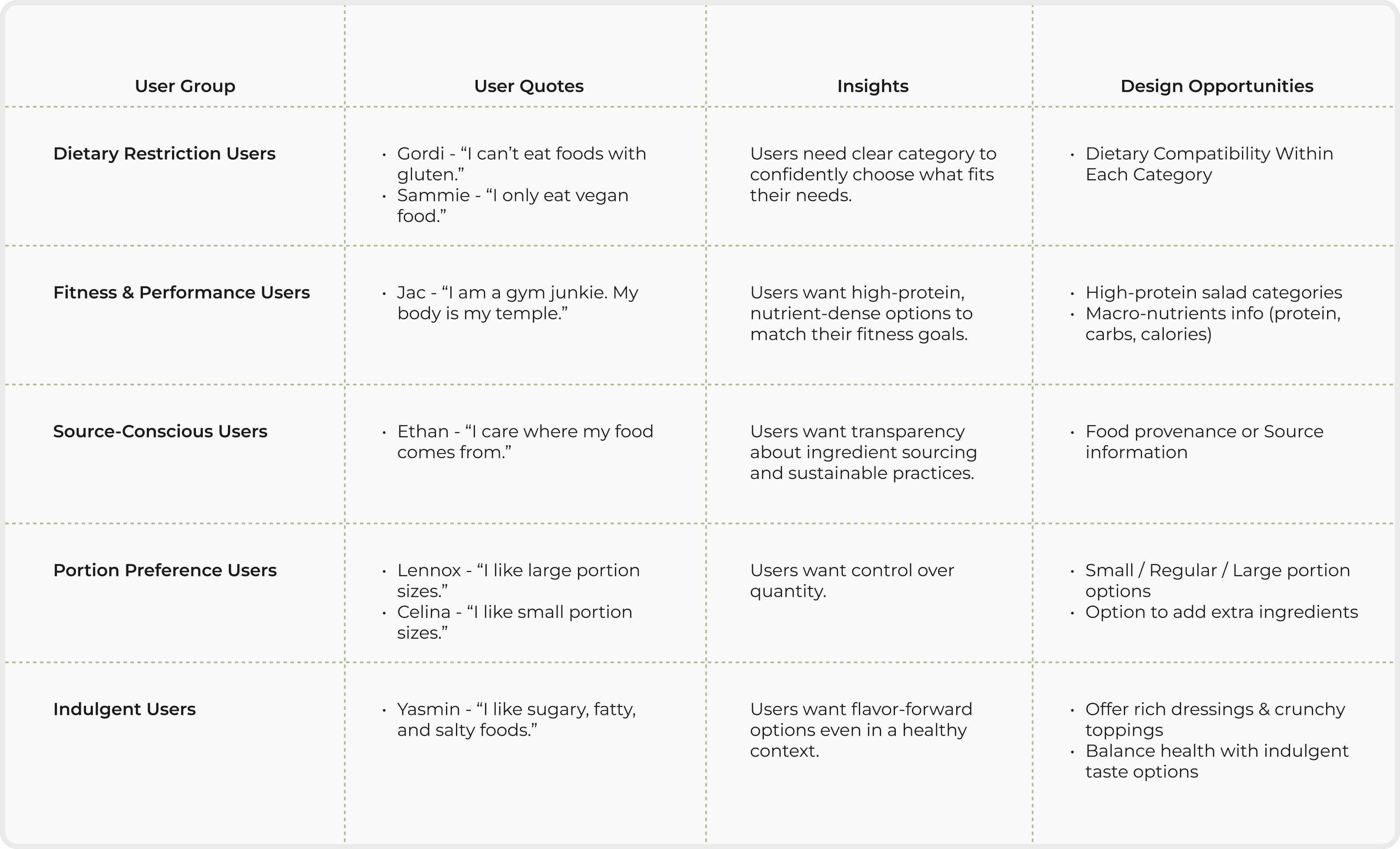
The client provided seven user quotes from previous research, which helped uncover recurring user pain points and needs.
I discovered that users with diverse dietary needs feel overwhelmed when customising food due to unclear information and too many choices.
Gordi - “I can’t eat foods with gluten.”
Sammie - “I only eat vegan food.”
Jac - “I am a gym junkie. My body is my temple.”
Ethan - “I care where my food comes from.”
Lennox - “I like large portion sizes.”
Yasmin - “I like sugary, fatty, and salty foods.”
Celina - “I like small portion sizes.”
Define
Using seven user quotes, I synthesised user needs and translated them into actionable design opportunities.
Design Derection
Reduce decision fatigue during customisation
Support confident and informed choices
Maintain a fast ordering experience
Develop
Main Features - What to build and WHY

Step-by-step bowl customisation
Reduces cognitive load by breaking decisions into manageable steps
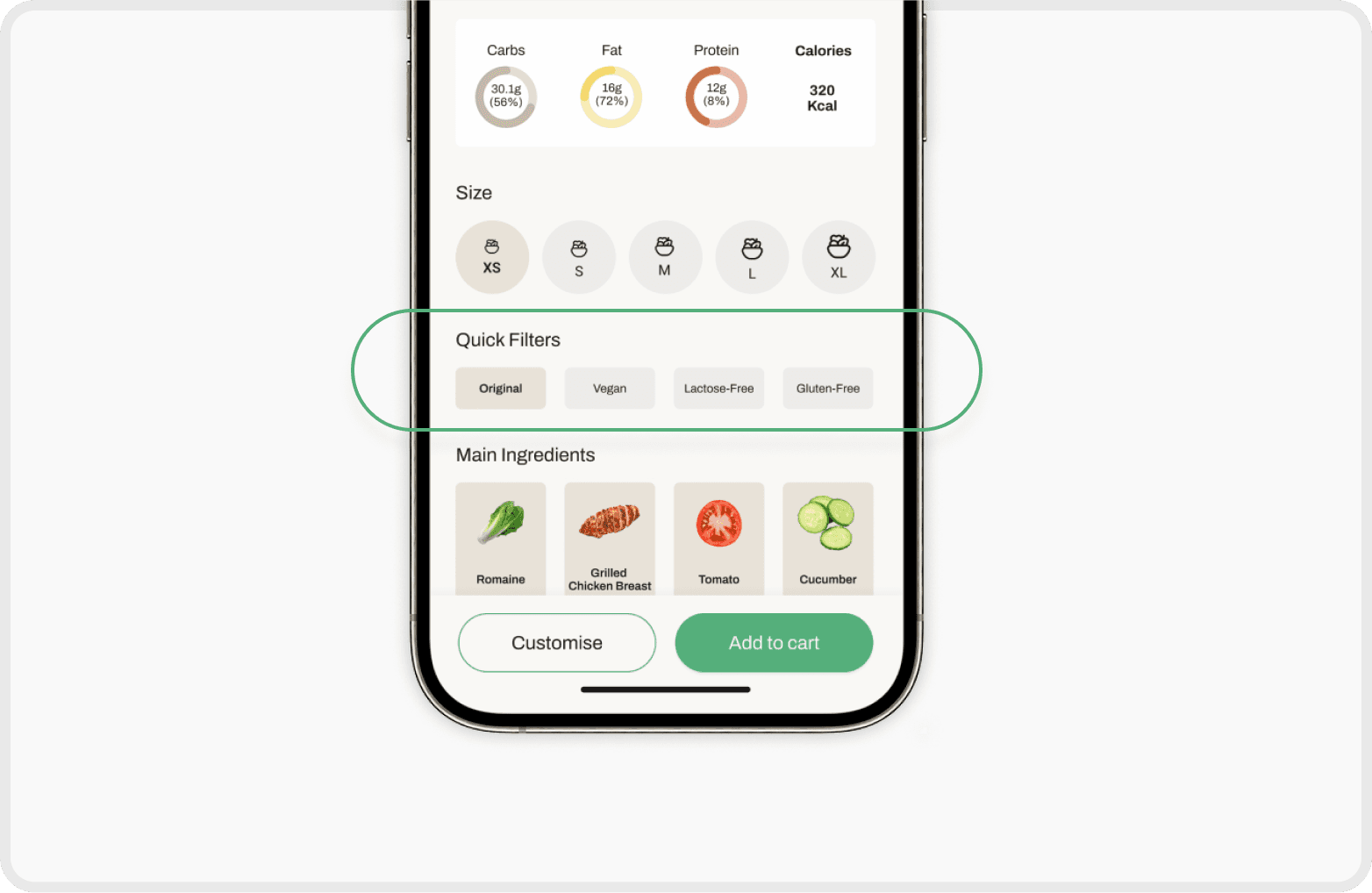
Dietary indicators & filters
Helps users quickly assess suitability without scanning all ingredients
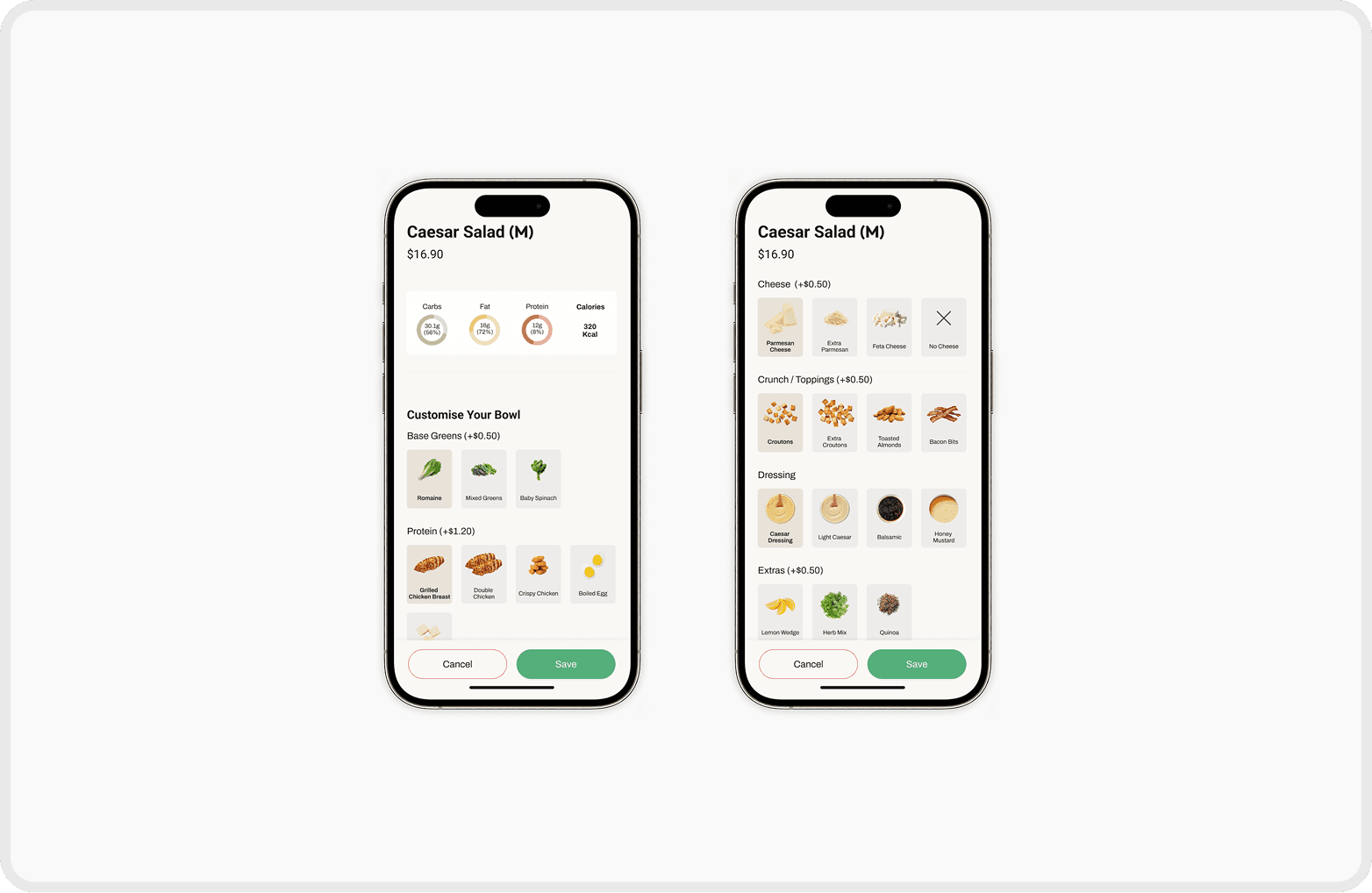
Image-guided ingredient selection with flexible choice
A structured visual guide helps users customise more easily and quickly, creating a smoother and more intuitive experience
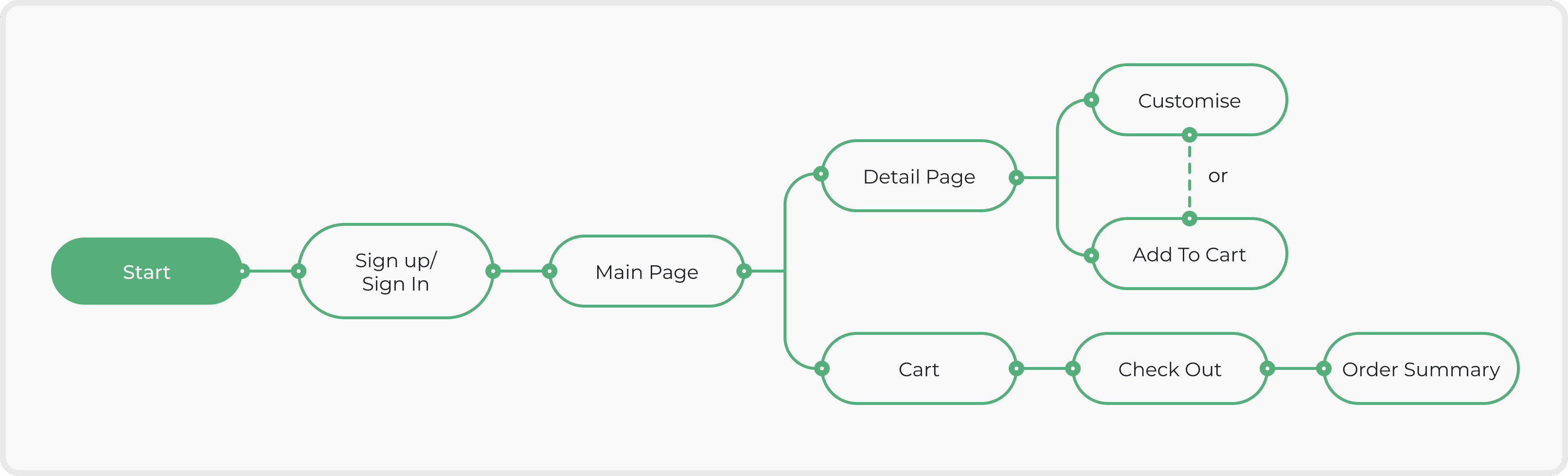
User Flow
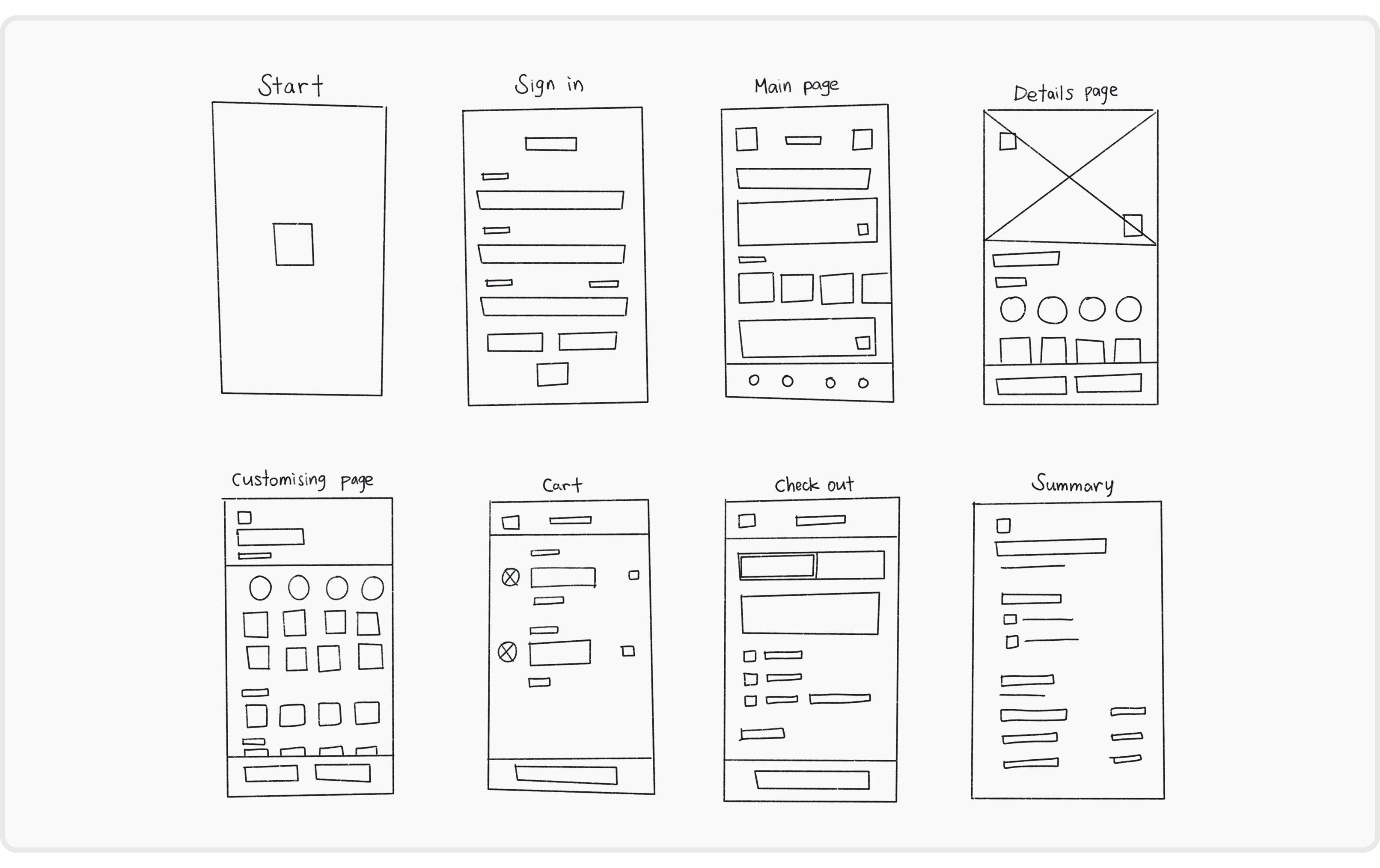
Wireframe Sketch
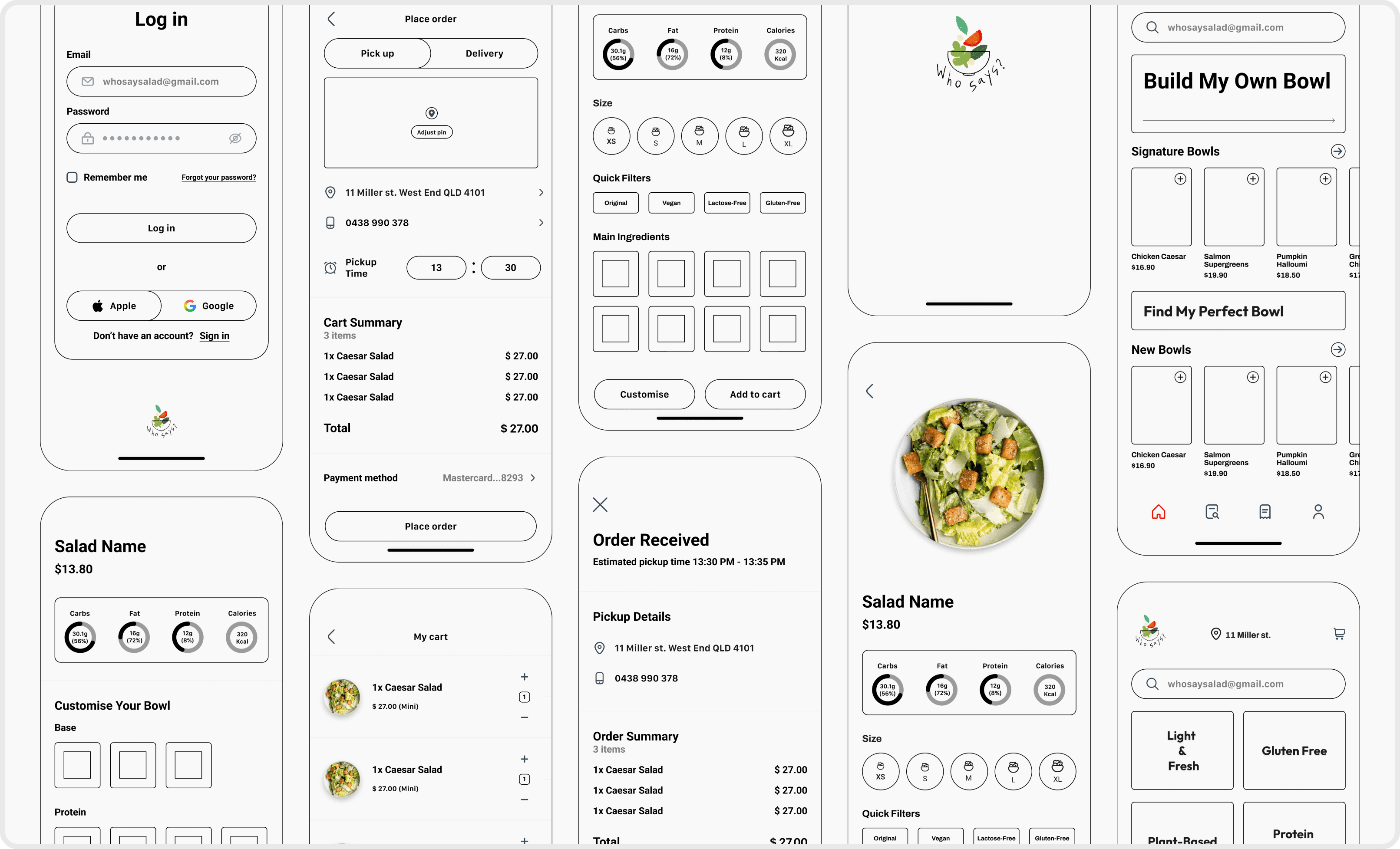
Lo-fi Prototype before A/B Testing
A/B Testing
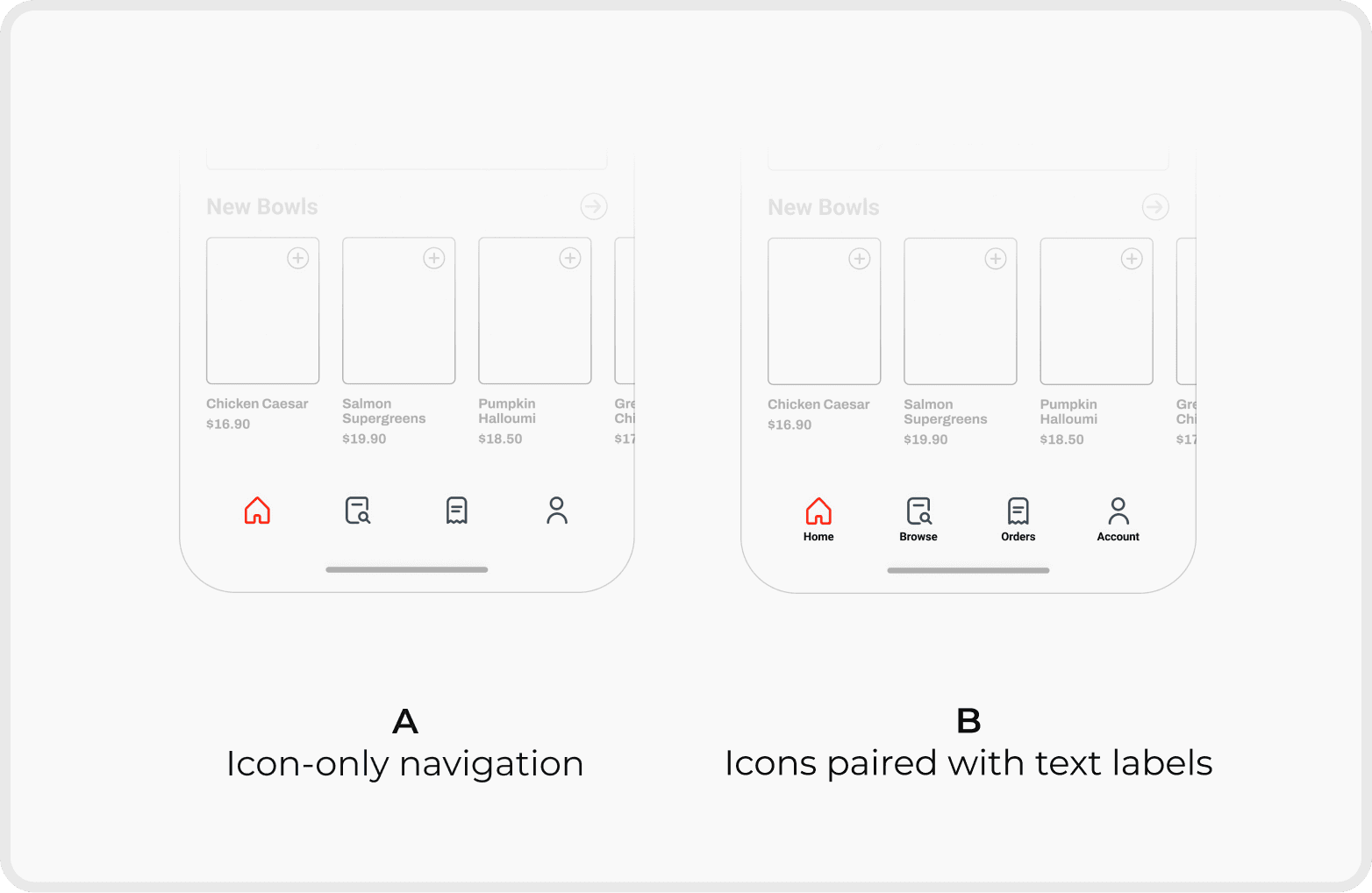
Navigation Clarity
Result
Option B improved way-finding and reduced guesswork across the app.
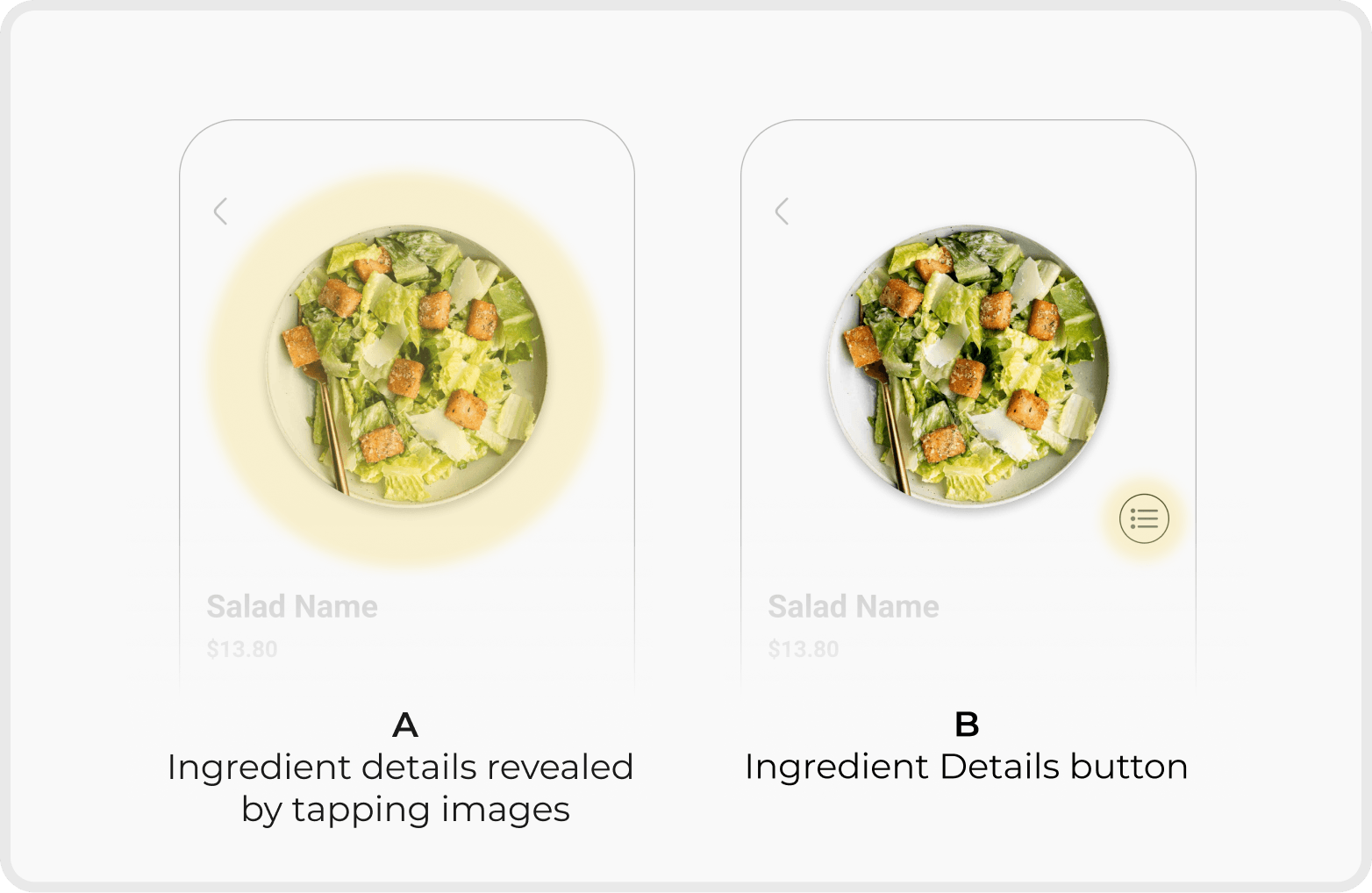
Ingredient Information Visibility
Result
Option B improved discoverability by providing a clear interaction trigger and reducing hesitation during customisation.
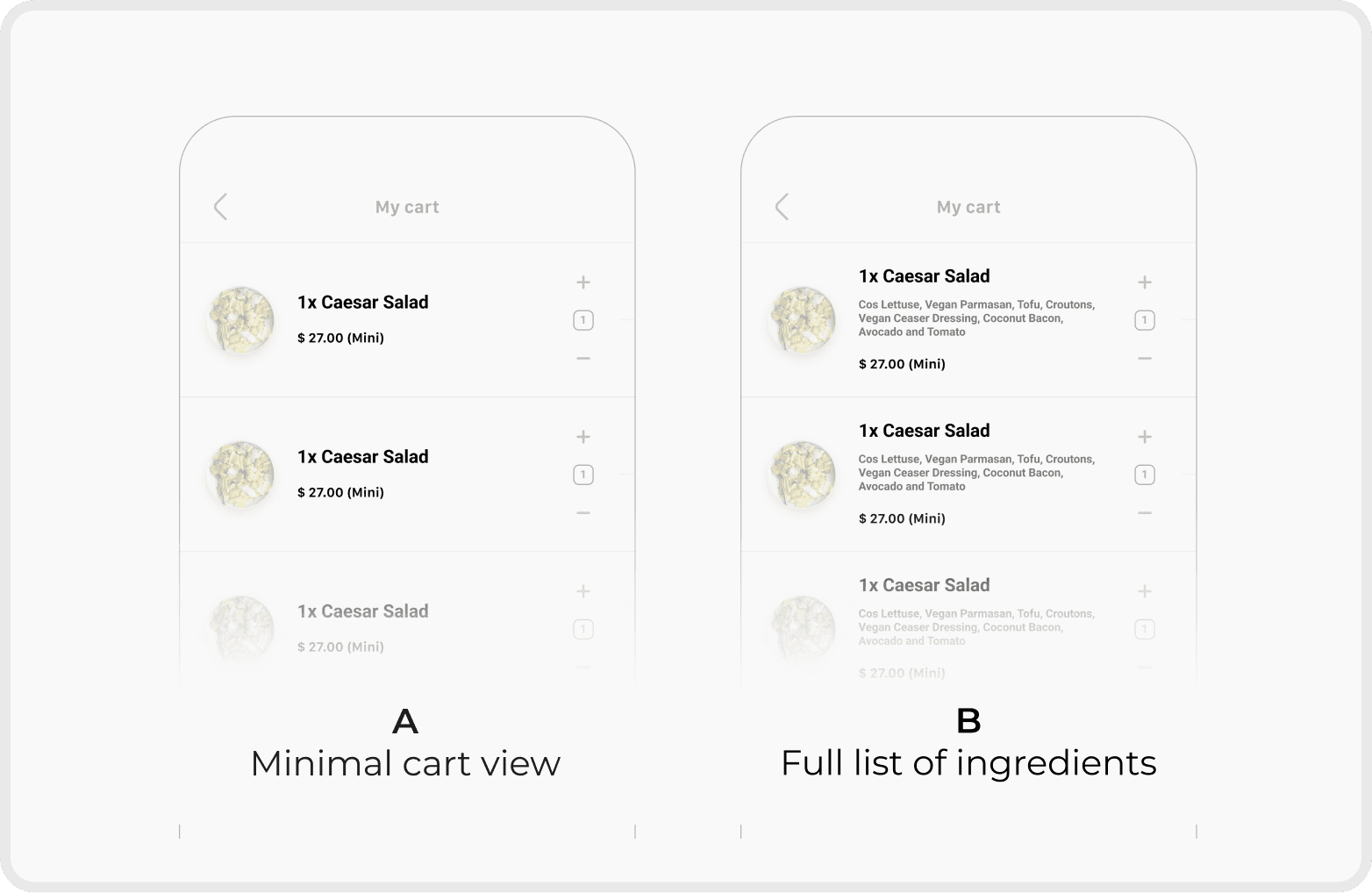
Order Transparency in Cart
Result
Option B increased user confidence by clearly communicating what was included in the final order.
Deliver
Final Prototype
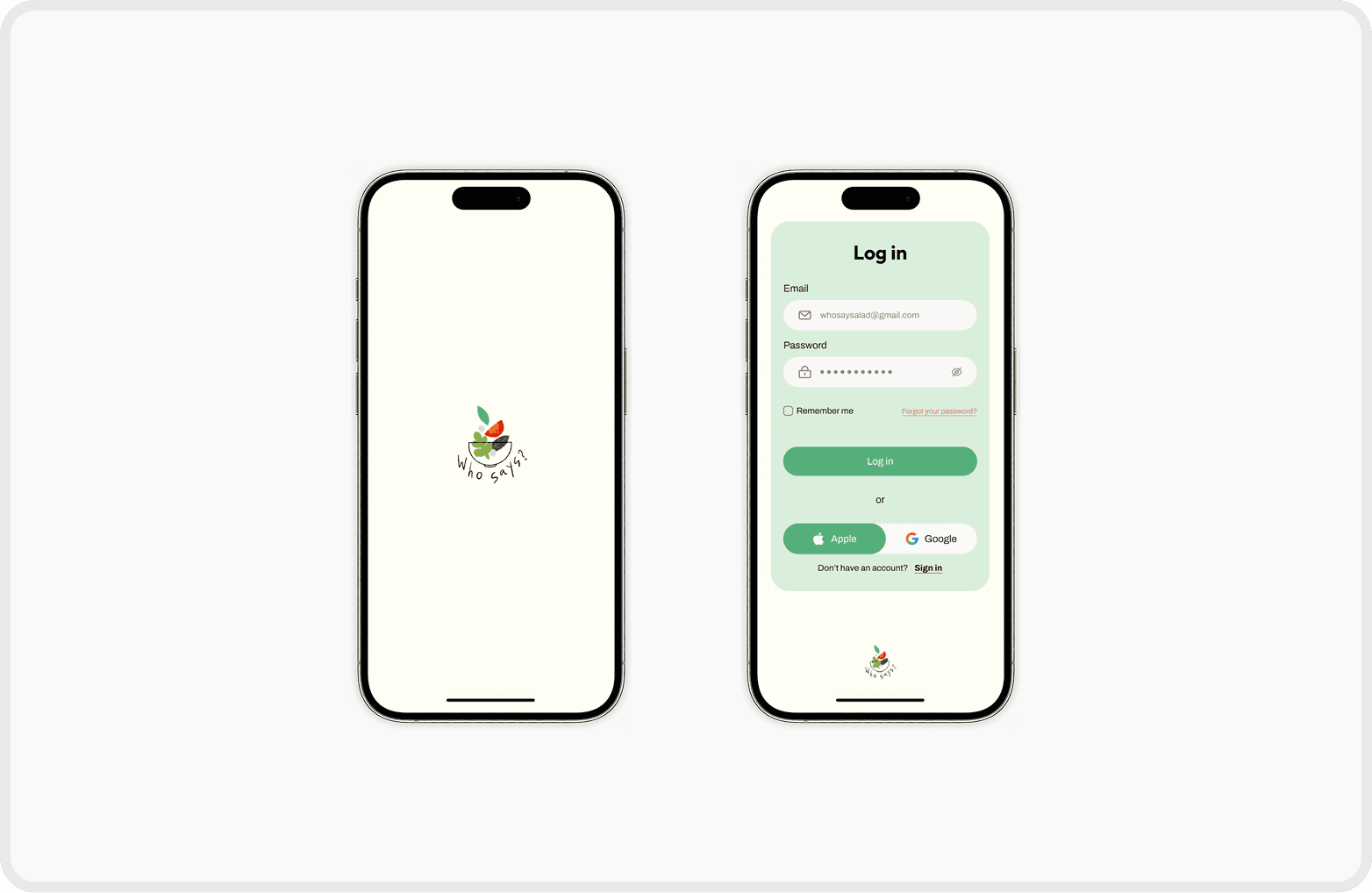
Start & Log In Page
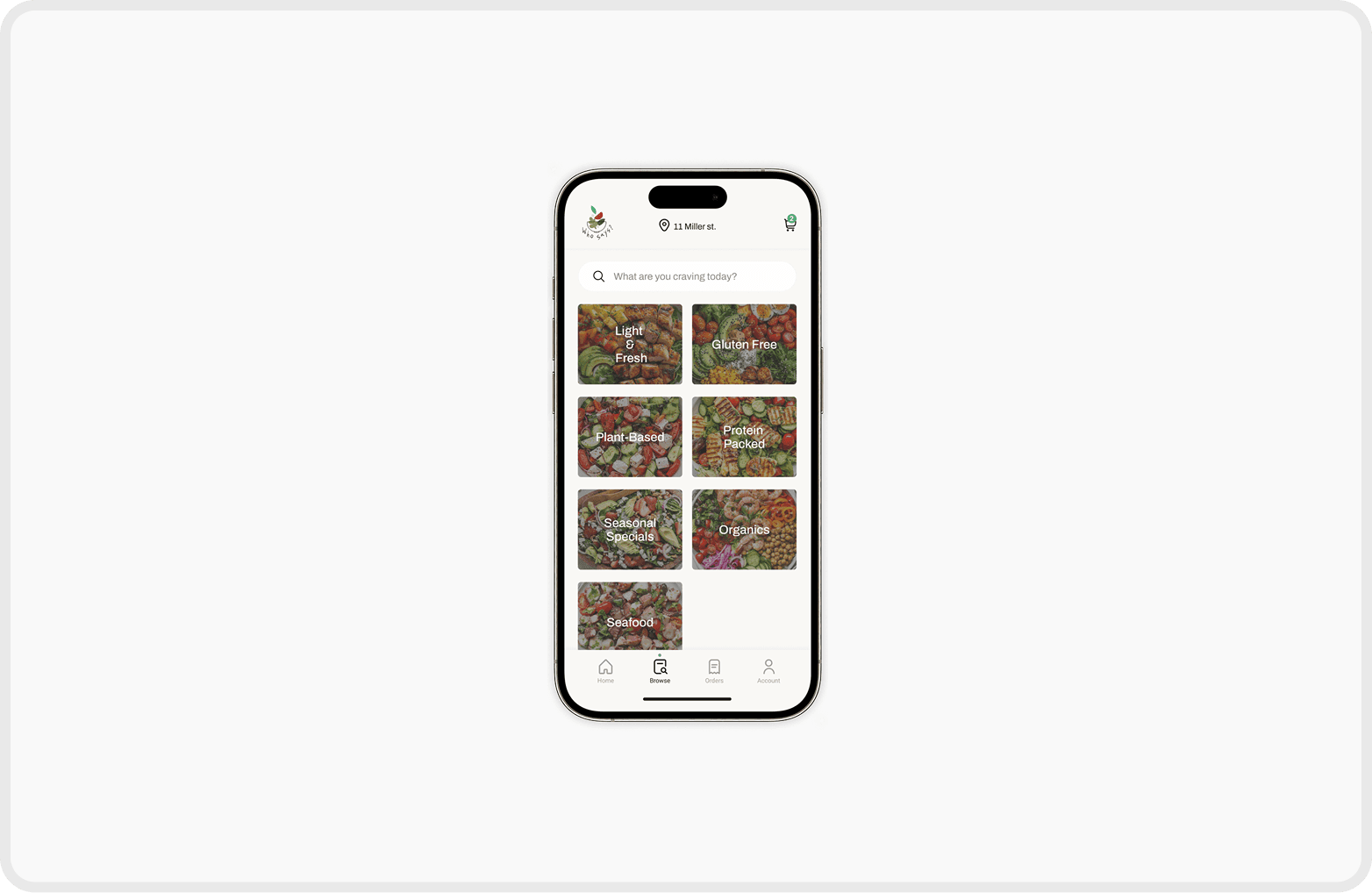
Browse Page
Salads are organised into clear categories, allowing users to quickly find options that match their needs or dietary preferences.

Salad Detail Page
Macro nutrients, ingredients, and provenance are presented visually to build trust and support informed decision-making.
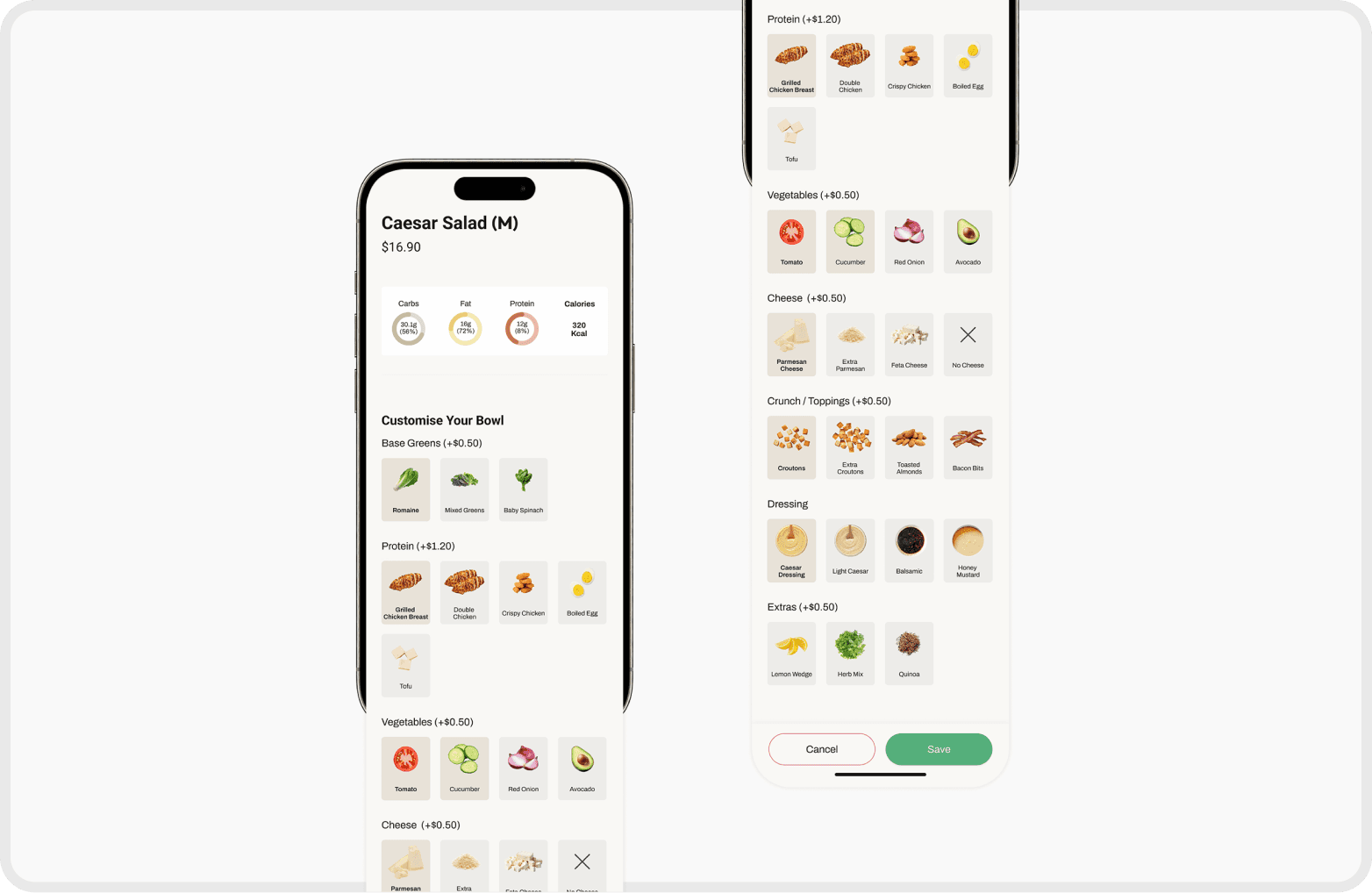
Customise Page
Users can adjust ingredients and portion sizes for greater flexibility.
Core ingredients remain fixed to preserve each bowl’s identity, while nutrients and pricing update dynamically with every change.

Order Page
Essential order details are clearly presented, helping users review and confirm their selections smoothly and ensuring a more accurate and seamless checkout experience.
Figma Prototype
This prototype was created based on the user flow with key interactions rather than full functionality.
Branding
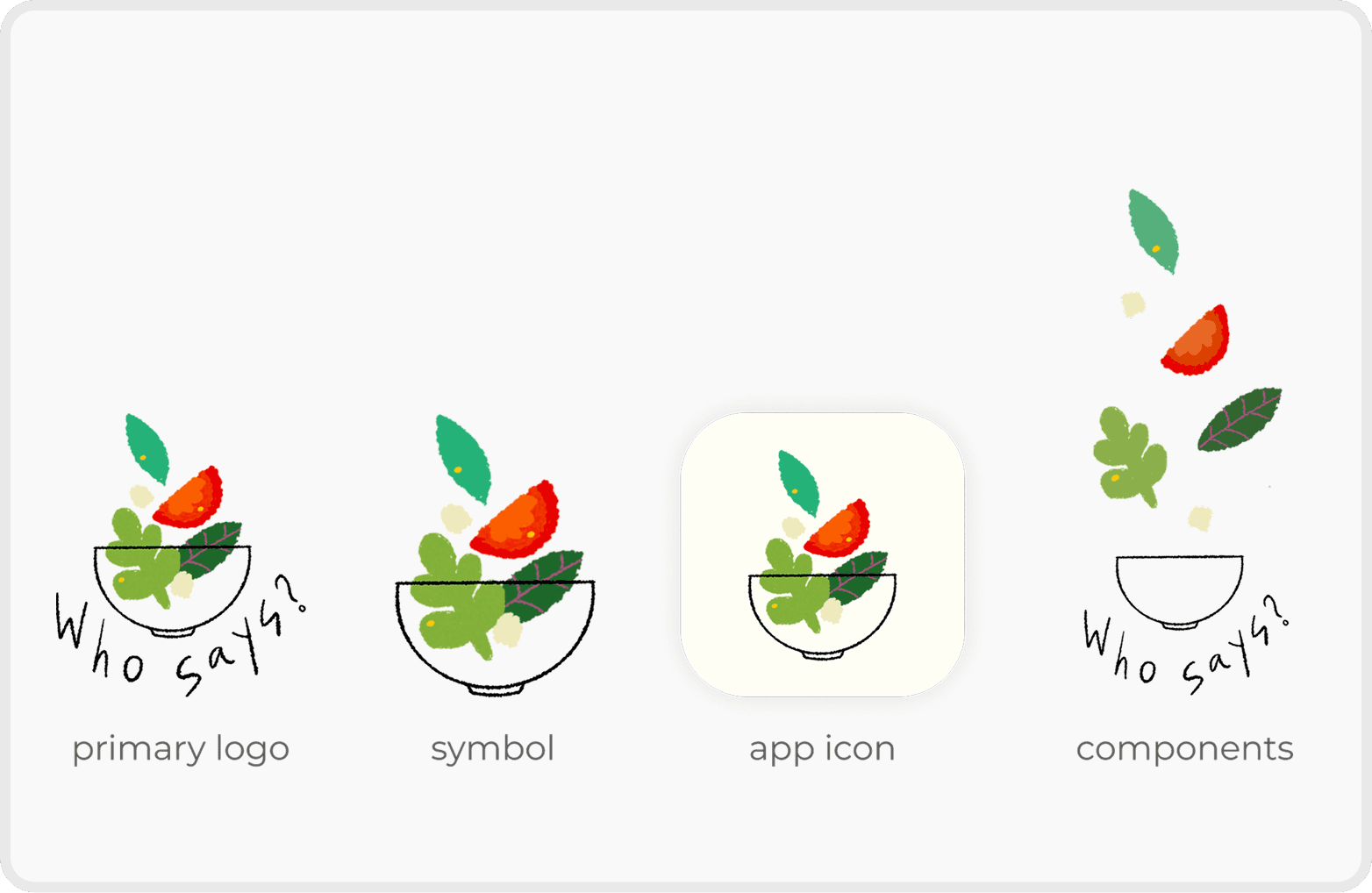
Logo
The Who Says? logo features a salad bowl with vegetables falling into it, symbolising the app's inclusivity. The mix of ingredients represents the variety of tastes and preferences the platform caters to, highlighting its focus on customisation and diversity.
UI Design
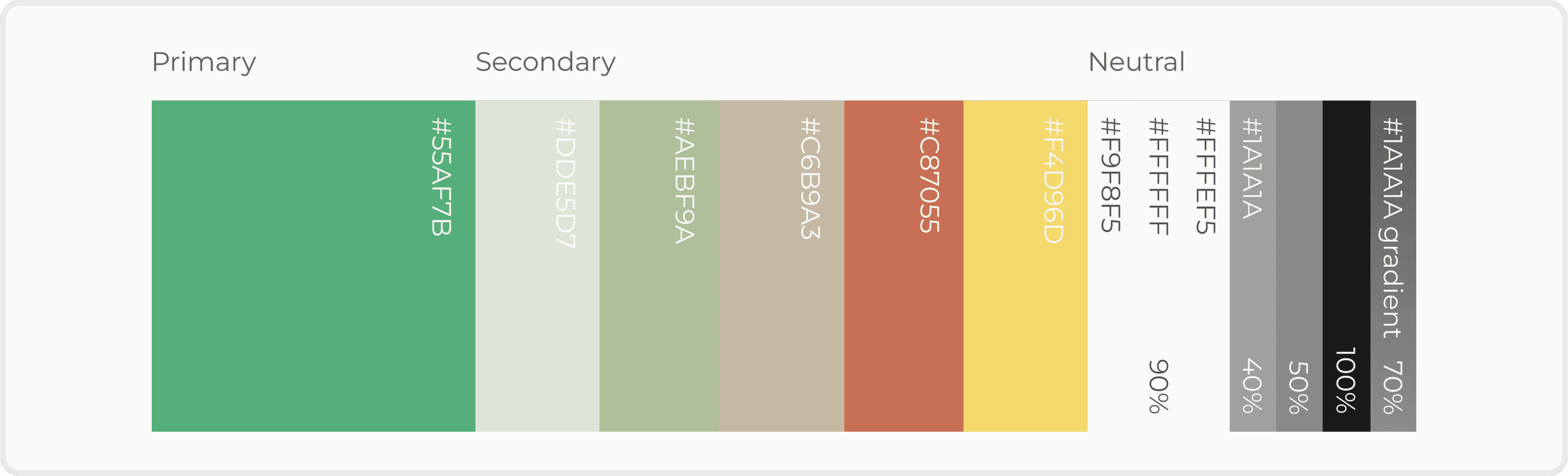
Colour System
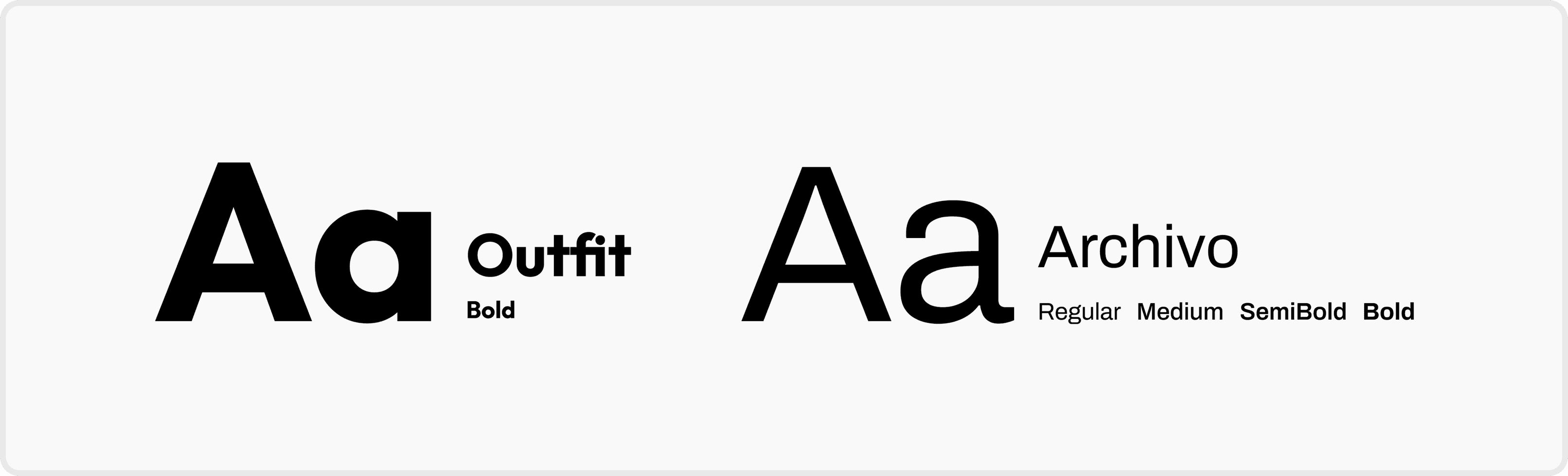
Font
Reflection
What I Learned
Minimal does not always mean clear.
Through A/B testing, I learned that reducing text and visual cues for the sake of minimalism can hurt clarity. Users perceived interfaces with clearer labels and explicit information as more supportive and trustworthy, even when the design was less visually minimal.
This reinforced that effective UX prioritises confidence and understanding over visual simplicity—especially in decision-heavy experiences.
What I'd Do Differently
Designing with validation, not assumptions
I would invest more time in early market research and usability testing, even with rough wireframes. Validating assumptions sooner would enable faster iteration and more user-informed design decisions.